
If you’ve listed anything on eBay recently, you’ve seen it: that glowing “Magical Listing” button promising to write your description for you. It’s tempting. I get it. We’re all “Everyday Hunters” trying to get more inventory up in less time.
But I’ve learned the hard way that clicking that button can be a trap. Not long ago, I was listing a rare vinyl record. I hit the AI button, and it hallucinated an entire poster that didn’t exist, claiming it was included in the set. I only caught it because I actually know my inventory. If I hadn’t? That’s an Item Not As Described (INAD) case waiting to happen, a forced return, and a ding to my seller metrics.
I’ve even seen AI claim a DVD slipcover was missing when it was right there in the photos! It’s making guesses based on other people’s listings, not yours. And in 2026, where buyer trust is the only currency that matters, that “fast” button is costing you real money.
The Quick Answer: While eBay’s AI is fast, it often hallucinates details and creates “AI Slop” that buyers ignore. For maximum sales and search ranking in 2026, use Voice-to-Text to create Bullet-Point descriptions. It provides the “Facts then Fluff” structure that mobile buyers demand and protects you from costly INAD returns.
🛠️ The Hunter’s Toolkit: Listing Essentials
Before you start your next listing session, make sure your “Human-in-the-loop” setup is ready:
The Fast-Track Setup
- External Microphone: A cheap lapel mic makes your Voice-to-Text 99% more accurate.
- Listing Scale: Get the weight in your description before the buyer asks.
- 91% Isopropyl Alcohol: Clean those “yard sale prices” off before you take the photos!
Why “AI Slop” is Killing Your Sell-Through Rate
When I’m sourcing gems, I look at descriptions too. If I see a 500-word flowery paragraph about how a “vintage bowl will unleash my inner chef,” I trust that seller less. It tells me they threw the listing up in a hurry and might not have inspect the item.
AI loves to rattle on about the functions of a product (which the buyer already knows) but ignores the specifics of your actual unit.
- Does it have paint fading?
- Is it a lot listing where every item is included?
- Is there a tiny crack the camera didn’t quite catch?
AI won’t tell them that. But a human will. And when a buyer is confused, they don’t buy. They move on to the next seller who was clear.
The “Facts Then Fluff” Manifesto
In 2026, people don’t read; they skim. My rule is simple: Facts first, vibe second. 1. The Facts: What is it? What’s included? What are the flaws?
2. The Fluff: Why is it cool? (Only if you have extra time).
If you give them the information they’d be looking for if they were the ones buying, you win.
The Voice-to-Text Revolution (Faster than AI)
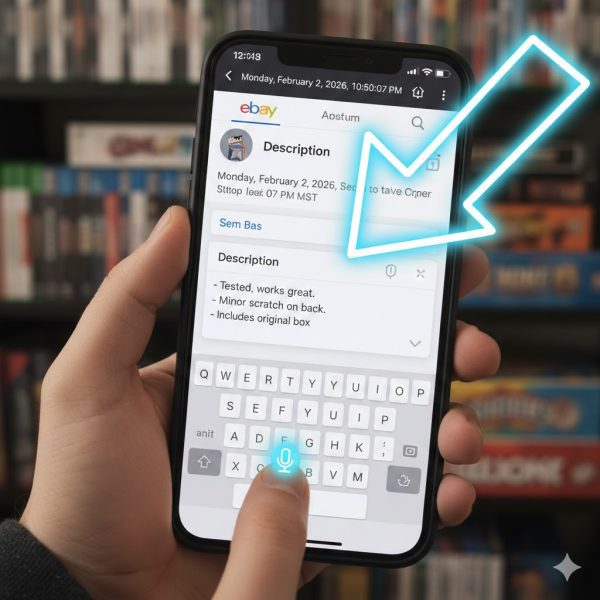
Most sellers default to the AI button because they think it’s the fastest way to get more listings up. They don’t realize they already have a better tool in their pocket.
Voice-to-text is a superpower. It’s getting better at punctuation every day, and it allows you to be “imperfectly human.” A description that says “Tested, works great, has a small scratch on the back that doesn’t affect play” is worth ten “Magical” AI paragraphs.
| Feature | eBay AI Description | Your Voice-to-Text |
| Speed | 2 seconds (plus 3 mins proofing) | 30 seconds (zero proofing) |
| Accuracy | High chance of “hallucinations” | 100% based on your item |
| Trust Factor | Low (Sounds like an infomercial) | High (Sounds like a real person) |
| INAD Risk | High (Claims things that aren’t there) | Low (You mention every flaw) |
Avoid the Beginner Mistakes
If you’re new to talking to your phone, keep these three things in mind:
- Don’t talk too fast: Give the phone a second to keep up.
- Punctuation matters: Say “Period” and “New Line” to keep it readable.
- The Double-Check: Always scan it quickly. It still misses a word here and there!
Specializing & “The Lotting Strategy”

As an “Everyday Hunter,” I believe in specializing. When you know your niche, you can find gems in other people’s messy lot listings because they didn’t describe them properly.
When things don’t sell, I start lotting them. AI struggles with lots. It tries to describe them as one single box or misses the variety. This is where your voice-to-text shines.
- Go over everything included.
- Reiterate the condition (Used-Good vs. Used-Poor).
- Never hide the condition. If you’re honest about the flaws, you attract the right buyer and avoid the “Return Request” headache later.
📦 Shipping & Storage: The Reality Check
Don’t forget to mention the “boring” stuff. Buyers in 2026 want to know how you’re going to protect their “White Whale” find.
Hunter’s Pro-Tip:
Mention your Custom eBay SKU system in your description. It tells the buyer you are a professional with an organized inventory, not just some guy selling junk out of a garage.
Conclusion: Stick to the Bullets
At the end of the day, do not use the AI description button. It’s a shortcut that leads to long-term problems.
Instead, do voice-to-text. It’s quick, it’s honest, and most importantly, it’s bulleted. That is exactly what people are looking for. They want to skim, find the condition, see what’s included, and hit “Buy It Now.”
Stop trying to write a novel. Start talking to your buyers.
What’s Next?
Ready to optimize the rest of your shop? Check out these guides: